OverviewThis article demonstrates a complete, end-to-end penetration test driven a 2026-6-13 21:1:21 Author: www.hackingarticles.in(查看原文) 阅读量:10 收藏
Overview
This article demonstrates a complete, end-to-end penetration test driven almost entirely through natural language. By connecting Claude Desktop to a Model Context Protocol (MCP) server running on Kali Linux, we turn the AI assistant into an interactive offensive-security co-pilot that executes real Kali tooling on command. Across a multi-host lab, we move from a clean install to full compromise: configuring the integration, running reconnaissance and enumeration, exploiting a SQL injection flaw, popping a root shell through Samba, harvesting and cracking password hashes, taking over a vulnerable WordPress site, and finally recovering domain administrator credentials on a Windows Server 2019 domain controller. The walkthrough doubles as a practical look at where AI accelerates an assessment and, just as importantly, how the lab could have defended against every step.
Table of Contents:
- Introduction
- Phase 1: Building the MCP Kali Integration
- Installing the MCP Kali Server
- Reviewing the Client Configuration
- Installing Claude Desktop on Kali Linux
- Connecting Claude Desktop to the MCP Server
- Verifying the Integration
- Phase 2: Reconnaissance and Enumeration
- Network Scanning with Nmap
- Web Directory Enumeration
- SMB Enumeration with enum4linux
- SSH Credential Attack with Hydra
- Phase 3: Exploitation
- SQL Injection with sqlmap
- Port Scanning with Metasploit
- Gaining Root Access via the Samba Vulnerability
- Phase 4: Post-Exploitation and Credential Cracking
- Harvesting Credentials from /shadow
- Cracking the Hashes with John the Ripper
- Phase 5: Compromising the WordPress Target
- Assessing WordPress with WPScan
- Exploiting the Reflex Gallery Plugin
- Exploiting the Mail-Masta Plugin
- Achieving WordPress Admin Access
- Logging In to the Dashboard
- Web Server Scanning with Nikto
- Phase 6: Operational Tooling
- Checking the Integration’s Health
- Reviewing the Built-in Command Reference
- Phase 7: Pivoting to the Windows Domain Controller
- SMB Authentication with NetExec
- Mitigation Strategies
- Patch and Retire End-of-Life Software
- Eliminate Anonymous and Default Access
- Enforce Strong Authentication
- Secure Web Applications
- Harden the Network and Monitor Continuously
- Conclusion
Introduction
Artificial intelligence is reshaping offensive security. Traditionally, an AI assistant could only describe how to run a scan or craft an exploit; the operator still executed everything by hand. The Model Context Protocol (MCP) changes that. MCP is an open standard that defines how large language models discover and call external tools through a consistent, structured interface. Rather than pasting commands and copying output manually, the model talks to an MCP server that advertises a catalogue of capabilities, accepts structured requests, executes them, and returns machine- and human-readable results. Because the standard is uniform, any MCP-aware client can drive any MCP server without custom integration code.
In this engagement, the Kali Linux arsenal becomes that server. The MCP Kali Server wraps tools such as Nmap, Nikto, sqlmap, Hydra, Metasploit, John the Ripper, and NetExec, then exposes them to Claude Desktop running on the same host. The analyst states an objective in plain language — “run an Nmap scan,” “exploit the Samba vulnerability,” “dump the database” — and the model interprets it, selects the right tool, builds the correct command, executes it, reads the raw output, and reasons over the results in a single conversational loop. This collapses the gap between recommendation and execution, while high-impact actions surface a consent prompt that keeps the operator firmly in control.
The sections that follow document the complete workflow. We install the MCP Kali Server, deploy Claude Desktop on Kali, connect the two, and verify the tooling. We then carry out a full attack chain across the lab — reconnaissance, SMB enumeration, a Samba remote-code-execution exploit, password-hash cracking, SQL injection, an SSH credential attack, a WordPress compromise, and domain administrator access on a Windows Server 2019 domain controller — and close with the defensive measures that neutralise each technique. Perform every technique only inside an isolated lab you own or are explicitly authorised to test.
Lab Environment
The entire engagement runs inside a private, authorised lab. The Kali Linux host serves as the attack platform, and several deliberately vulnerable virtual machines act as targets. The table below summarises the hosts referenced throughout the article.

Before reproducing any technique shown here, ensure you hold explicit written authorisation for every in-scope host. Testing systems you do not own or lack permission to assess, is illegal.
Phase 1: Building the MCP Kali Integration
Installing the MCP Kali Server
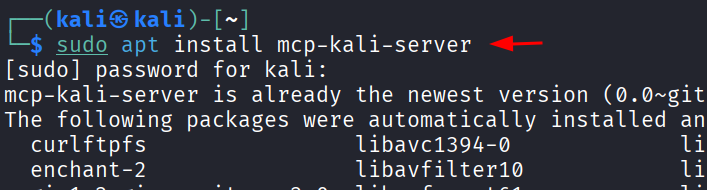
We begin on the Kali host by installing the MCP Kali server package, which publishes the local security toolset over the MCP interface. The package manager confirms that mcp-kali-server is already present at its newest version, so the environment is ready to proceed.
sudo apt install mcp-kali-server

Reviewing the Client Configuration
The project README documents where each MCP client expects its configuration file and links to a ready-made template. macOS and Windows store the Claude Desktop configuration under their respective application-support paths.
MCP Kali Server

Opening the template reveals the canonical client definition. It declares an mcpServers object that launches python3 against a client.py script and forwards traffic to the server over HTTP, with fields for a description, timeout, and an auto-approval allow-list.

Installing Claude Desktop on Kali Linux
Claude Desktop is distributed for Debian-based systems through a community APT repository. We first import the repository signing key into the system keyring so APT can verify package authenticity.
curl -fsSL https://pkg.claude-desktop-debian.dev/KEY.gpg | sudo gpg --dearmor -o /usr/share/keyrings/claude-desktop.gpg

Next, we register the repository in APT’s source list and refresh the package index. The output confirms the new source is reachable and updates cleanly alongside the standard Kali repositories.
echo "deb [signed-by=/usr/share/keyrings/claude-desktop.gpg arch=amd64,arm64] https://pkg.claude-desktop-debian.dev stable main" | sudo tee /etc/apt/sources.list.d/claude-desktop.list

sudo apt update

Finally, we install the application. The package manager reports that claude-desktop is already at its latest release, confirming the client is ready to launch.
sudo apt install claude-desktop

Connecting Claude Desktop to the MCP Server
With both components installed, we launch Claude Desktop, open the account menu in the lower-left corner, and select Settings.

Inside Settings, we navigate to the Developer section. The Local MCP servers panel manages every server the client talks to; since none exists yet, we click Edit Config to open the underlying configuration file.

Edit Config reveals the location of claude_desktop_config.json in the user’s .config/Claude directory. This single file controls which MCP servers Claude Desktop loads at startup.

We edit the file to register our toolset as a server named kali-tools whose command is simply mcp-server. After saving, we restart Claude Desktop, so the new server is picked up.
{
  "mcpServers": {
    "kali-tools": {
      "command": "mcp-server",
      "args": []
    }
  }
}

Returning to the Developer panel confirms success — the kali-tools server now shows a blue running badge with a View Logs button for troubleshooting.

Verifying the Integration
Asking Claude to connect with the Kali MCP confirms the server is connected and healthy and enumerates the available capabilities — network scanning, web vulnerability assessment, directory enumeration, password attacks, SQL injection, exploitation, SMB enumeration, and WordPress analysis. The execute command capability lets Claude run arbitrary Kali commands when a purpose-built tool is unavailable.
connect with kali tool mcp

Phase 2: Reconnaissance and Enumeration
Network Scanning with Nmap
We start the assessment against the Metasploitable host. We instruct Claude to run an nmap_scan against 192.168.1.14 in fast mode with service-version detection and the default NSE script set. Claude returns a structured table of open ports and services, flagging each notable weakness.
execute_command nmap_scan against 192.168.1.14 in fast mode, performing service version detection and executing default NSE scripts

The scan exposes a textbook insecure host: anonymous FTP on a backdoored vsftpd 2.3.4, plaintext Telnet, weak SSLv2 on SMTP, and a Samba 3.0.20 service vulnerable to remote code execution. Claude summarises the NSE highlights and elevates two FTP backdoors as high-value targets, mapping each to its CVE.

Web Directory Enumeration with Gobuster
Shifting to the web layer, we ask Claude to run a gobuster_scan against the DVWA application. Claude separates directly accessible 200 OK resources from 301 redirects that reveal browsable directories.
execute_command gobuster_scan http://192.168.1.14/dvwa/

To cross-validate, we run a second pass with dirb_scan, filtered to HTTP 200 OK responses. The output isolates seven live endpoints and flags the most promising — the unauthenticated setup page, the php.ini leak, and the application login.
Web Directory Enumeration with DIRB
execute dirb_scan against http://192.168.1.14/dvwa/ and display only the directories or files that return an HTTP 200 OK response

SMB Enumeration with enum4linux
We target the Samba service with an enum4linux_scan. After an initial timeout, Claude retries with tuned flags and exposes the hostname, the vulnerable Samba version, the workgroup, and a permitted null session granting credential-free SMB access. The tmp share is fully accessible anonymously.
execute_command enum4linux_scan 192.168.1.14

Leveraging the null session, the scan enumerates 35 user accounts via SMB, surfacing high-value identities such as root, msfadmin, and service accounts, then distills the key findings before offering the next move.

SSH Credential Attack with Hydra
We pivot to an online password attack, instructing Claude to launch a hydra attack against the SSH service on 192.168.1.15, drawing usernames and passwords from local wordlists. Claude assembles and runs the Hydra command from this single natural-language instruction.
execute_command hydra_attack to test SSH logins on 192.168.1.15 using the usernames from users.txt and passwords from password.txt, which are stored on the Kali system.

Hydra succeeds, recovering the credential pair pentest / 123 after testing 42 combinations in roughly 34 seconds, and supplies the exact SSH command to log in.

Phase 3: Exploitation
SQL Injection with sqlmap
We task Claude to run a sqlmap_scan against an SQLi-Labs endpoint on 192.168.1.15. After re-verifying that the database is responsive, Claude confirms an injectable id parameter and reports four working techniques — Boolean-based blind, error-based, time-based blind, and UNION query — against a MySQL back end.
execute_command sqlmap_scan on http://192.168.1.15/Less-1/

Claude enumerates five databases and flags security as the main application schema and primary target.

Proceeding with the dump, Claude extracts the security database, lists its four tables, and recovers 13 username-and-password pairs in cleartext from the user’s table.
dump tables from the security database or extract user credentials

Port Scanning with Metasploit
Returning to the Metasploitable host, we ask Claude to run a Metasploit TCP port scan. Because the action invokes a powerful tool, Claude Desktop presents a consent prompt showing the exact module and options — auxiliary/scanner/portscan/tcp against RHOSTS 192.168.1.14 over ports 1-1024 — keeping a human in control of every offensive operation.
execute_command metasploit_scan port scan on 192.168.1.14

After approval, Claude runs the module and returns the open ports — FTP, SSH, Telnet, SMTP, DNS, HTTP, RPCbind, NetBIOS, and SMB among them — confirming a broad attack surface.

Gaining Root Access via the Samba Vulnerability
We weaponise the Samba weakness, instructing Claude to use the usermap_script exploit for CVE-2007-2447 against port 445 with the listener set to 192.168.1.17. Claude confirms a root shell, reporting uid=0(root) on the Metasploitable host.
use Samba usermap_script (CVE-2007-2447) on port 445 lhost=192.168.1.17

Because each fresh Metasploit invocation starts a new instance, we request the active sessions; Claude re-runs the exploit to re-establish a persistent shell cmd/unix session for post-exploitation.
sessions

Phase 4: Post-Exploitation and Credential Cracking
Harvesting Credentials from shadow File
With root access secured, we instruct Claude to dump shadow. It returns every hashed account and notes that all hashes use the legacy MD5-crypt format (the $1$ prefix), which is comparatively fast to crack.

Cracking the Hashes with John the Ripper
We hand the hashes to John the Ripper with the rockyou.txt wordlist. Claude works iteratively: it saves the hashes, finds the full rockyou run too slow against MD5-crypt, switches to a fast targeted wordlist for early wins, then resumes with a timeout-safe approach.
execute_command john_crack on hashes using rockyou.txt file

Claude presents the consolidated results, recovering six of seven passwords — including msfadmin, user, postgres, and service — for an 86% success rate, leaving only root uncracked.

Phase 5: Compromising the WordPress Target
Assessing WordPress with WPScan
We pivot to a WordPress host at 192.168.1.16 and run wp_scan. After updating its database, Claude profiles the site as an outdated WordPress 5.2.24 on Apache and enumerates two valid users — admin and aarti.
execute_command wp_scan http://192.168.1.16/wordpress/

Claude catalogues seven plugins, flags the vulnerable ones, lists misconfigurations such as enabled XML-RPC and an exposed readme.html, and prioritizes high-value targets including mail-masta (LFI and SQLi) and site-editor (LFI).

Exploiting the Reflex Gallery Plugin
We direct Claude to exploit the reflex-gallery plugin, which carries an unauthenticated arbitrary file-upload flaw (CVE-2015-4133) leading to RCE. Claude runs the Metasploit module, uploads and executes a PHP payload, and opens a Meterpreter session as www-data, cleaning up the payload afterwards.
exploit reflex-gallery

Exploiting the Mail-Masta Plugin
We target the mail-masta plugin, vulnerable to local file inclusion (CVE-2016-10956) and SQL injection. Finding no ready-made module, Claude exploits the LFI manually, reads passwd to enumerate shell-capable users — root and raj — and uses a PHP filter wrapper to retrieve wp-config.php as base64.
exploit mail-masta

Achieving WordPress Admin Access
Claude chains the Mail-Masta findings into full administrative control, summarizing the five-stage path: LFI to read passwd, a PHP filter wrapper to leak wp-config.php and its database credentials, a Meterpreter session to extract the phpass hashes, a database-level password reset for admin, and a successful login. It identifies the host as the Ignite Technologies CTF VM and confirms credentials of admin / hacked123.

Logging In to the Dashboard
We validate the recovered credentials in the browser, signing in as admin at the WordPress login page.
http://192.168.1.16/wordpress/wp-login.php

Authentication succeeds, landing on the full WordPress administration dashboard — complete control of posts, pages, users, plugins, and the theme editor, opening a clear route to a server-side shell via a malicious plugin or theme upload.

Web Server Scanning with Nikto
Turning back to the Metasploitable host, we run a Nikto scan. Claude flags a severely outdated Apache and PHP stack and surfaces high-risk exposures — an accessible phpinfo.php and an open phpMyAdmin panel — alongside medium and low findings.
execute_command nikto_scan 192.168.1.14

Phase 6: Operational Tooling
Checking the Integration’s Health
We run a health check against the MCP integration. Claude reports the server as running and healthy and provides a per-tool table: the nmap, nikto, dirb, and gobuster APIs are down but usable through execute_command, while hydra, sqlmap, metasploit, john, and enum4linux are fully working.
health check

Reviewing the Built-in Command Reference
Asking Claude for help returns a quick reference for every command in the session. The first section covers scanning and enumeration — nmap_scan, nikto_scan, dirb_scan, gobuster_scan, enum4linux_scan, and wp_scan — each with a concrete example.
help

The reference continues with exploitation commands (sqlmap_scan, hydra_attack, metasploit_scan, use, exploit) and post-exploitation commands (john_crack, sessions, dump shadow).

Finally, the reference lists utility commands and a running inventory of every discovered target: Metasploitable at 192.168.1.14, the SQLI-Labs host at 192.168.1.15, and the Ignite WordPress VM at 192.168.1.16 — keeping the multi-host engagement organized.
Phase 7: Pivoting to the Windows Domain Controller
SMB Authentication with NetExec
We extend the engagement to a Windows Server 2019 domain controller at 192.168.1.18, instructing Claude to use NetExec (nxc) to test SMB authentication from the local wordlists. Claude confirms the host is the lab’s ignite.local domain controller and begins the spray.
execute_command nxc to test smb authentication on 192.168.1.18 with the usernames listed in users.txt and the passwords listed in password.txt, both stored on the Kali system

Claude returns a detailed result. The profile confirms a domain controller named DC in ignite.local, running Windows Server 2019 with SMB signing enabled, SMBv1 disabled, and null authentication permitted. Of 56 combinations, exactly one succeeds — administrator with Ignite@987, marked Pwn3d! — granting full admin access over both SMB (445) and WinRM (5985).

Mitigation Strategies
Every technique demonstrated above succeeded because of a specific, avoidable weakness. The following measures, grouped by theme, would have broken the attack chain at multiple points.
Patch and Retire End-of-Life Software
- Upgrade or decommission unsupported services. The Samba 3.0.20 RCE (CVE-2007-2447), vsftpd 2.3.4 and ProFTPD backdoors, Apache 2.2.8, and PHP 5.2.4 are all long past end of life and should never run on a reachable host.
- Keep WordPress core, themes, and plugins current. The compromise relied on an outdated WordPress 5.2.24 and vulnerable plugins (Reflex Gallery, Mail-Masta, Site Editor); timely updates remove these exploit paths.
- Establish a vulnerability-management cadence with regular scanning and a defined patch SLA so known CVEs are remediated quickly.
Eliminate Anonymous and Default Access
- Disable anonymous FTP and SMB null sessions. The null session on the Samba host leaked 35 user accounts and an anonymously readable share, fuelling later attacks.
- Remove or restrict exposed administrative interfaces such as phpMyAdmin and delete diagnostic artefacts like phpinfo.php and readme.html that leak version and configuration data.
- Turn off directory indexing, HTTP TRACE, and XML-RPC where they are not strictly required.
Enforce Strong Authentication
- Mandate long, unique, complex passwords and ban credential reuse. Weak or default pairs (pentest:123, admin:admin, admin:hacked123) fell instantly to Hydra and brute forcing.
- Deploy account lockout, rate limiting, and multi-factor authentication on SSH, SMB, WinRM, and WordPress logins to defeat password spraying and brute force, such as the NetExec attack on the domain controller.
- Use a modern, slow password-hashing scheme (bcrypt, Argon2, or yescrypt) instead of MD5-crypt, which John the Ripper cracked rapidly.
Secure Web Applications
- Use parameterised queries and prepared statements to eliminate SQL injection and validate and sanitise all user input. A web application firewall adds defence in depth.
- Restrict file uploads by type, size, and storage location, and prevent execution within upload directories to close arbitrary-upload-to-RCE paths.
- Disable allow_url_include and constrain file-path handling to stop local file inclusion and run application database accounts with the least privilege so a leaked credential yields minimal access.
Harden the Network and Monitor Continuously
- Segment the network and apply least-privilege firewall rules so a single compromise cannot freely reach other hosts and restrict outbound connections to block reverse shells back to an attacker.
- Keep protective controls like SMB signing enabled (as the domain controller correctly did) and disable null authentication.
- Deploy centralised logging, intrusion detection, and endpoint detection and response to surface the scanning, brute forcing, and exploitation activity shown throughout this engagement before it leads to compromise.
Conclusion
This walkthrough transformed a conversational AI assistant from a fresh installation into a capable penetration-testing partner that scanned, enumerated, exploited, and pivoted across an entire lab network. Through natural-language prompts alone, it confirmed a SQL injection, popped a root shell through Samba, harvested and cracked password hashes, seized full control of a WordPress site, and ultimately recovered domain administrator credentials on a Windows Server 2019 domain controller.
The pairing of Claude Desktop and the MCP Kali Server excels at chaining tools together, adapting when a technique stalls, and turning raw output into clear, actionable findings — while built-in consent prompts keep every consequential action under human authorisation. Equally valuable are the operational touches that kept the engagement organised: health checks, a command reference, and a running inventory of discovered targets. Together, they show how an AI-driven workflow can absorb the repetitive mechanics of an assessment without surrendering control.
Yet the engagement is just as instructive in reverse, because every step was preventable. Disciplined patching of end-of-life software, strong authentication with multi-factor and lockout policies, the removal of anonymous and default access, secure coding practices such as parameterised queries, and continuous monitoring would each have broken the attack chain. Defenders who study how the compromise unfolded gain a clear roadmap for hardening their own environments.
Used responsibly and strictly within authorised scope, this approach lets security professionals spend less time wrestling with tooling and more on the judgment that defines great offensive — and defensive — work.
That comes to roughly 250 words. Happy to adjust the emphasis toward either the offensive capabilities or the defensive takeaways if you’d prefer one to lead.
如有侵权请联系:admin#unsafe.sh